eBook Formatting Services

A Clickable Table of Contents That Lands Where the Reader Expects

Navigation is the first thing a reader touches and the first thing they complain about. A contents entry that scrolls to the last line of the previous chapter, a Kindle Go To menu with nothing in it, a box set where book four cannot be reached: each of those is a one-star review waiting to be written. We build the navigation properly and prove every link.

A real EPUB 3 nav document, with the NCX behind it for older hardware Every link opened and confirmed to land on the chapter title, not near it Landmarks set so cover, start-reading and back matter are reachable Kindle Go To menu populated, not left blank by the converter
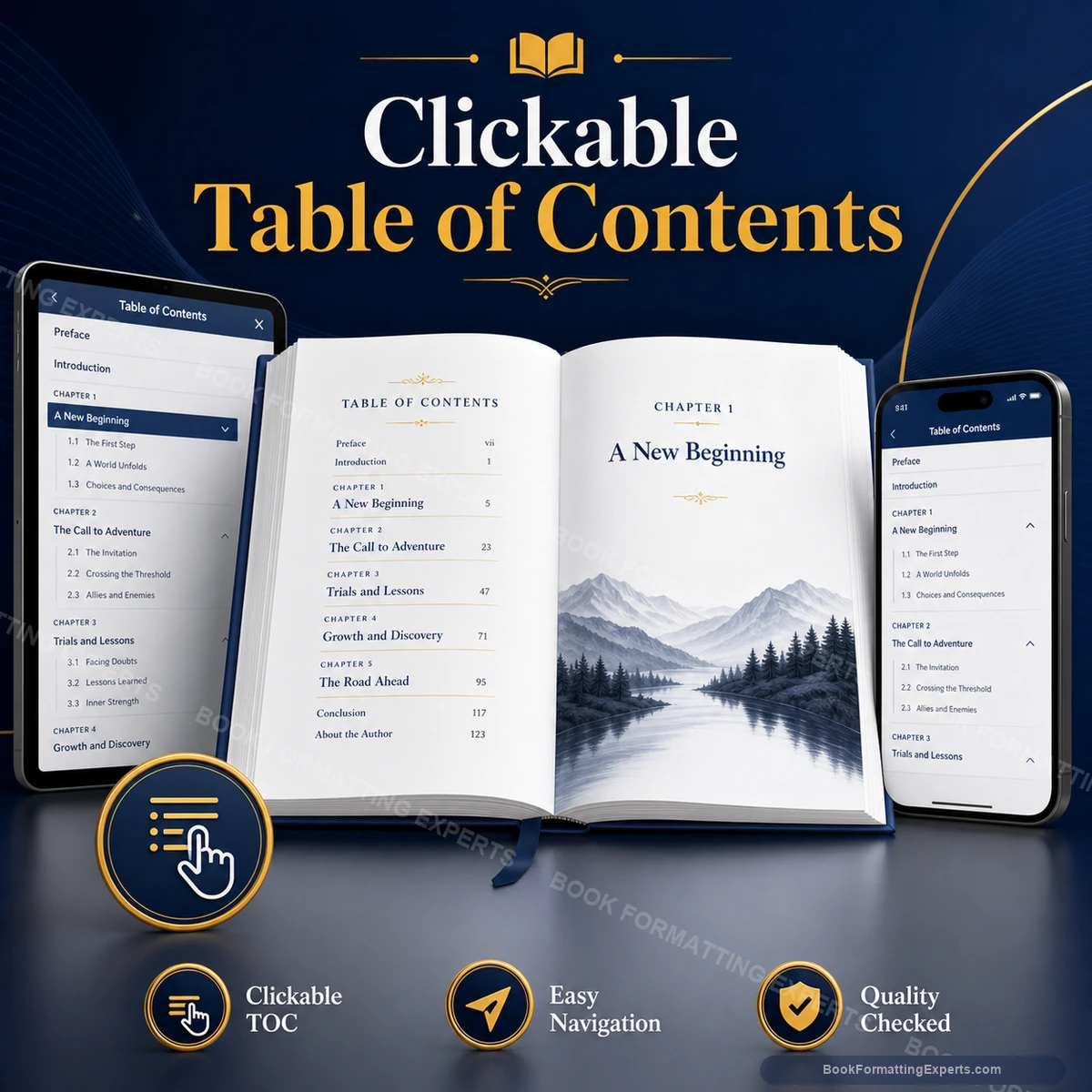
Clickable Table of Contents sample showing clickable table of contents hero
104Contents lists rebuilt
4.9Average client rating
100%Links opened by hand before delivery
12Reading systems checked per build
Definition

What a Clickable Table of Contents Actually Is

A clickable table of contents is not a page. It is two or three separate things that readers and software confuse constantly. There is the navigation file the reading system consumes, there is the contents page a reader can turn to like any other page, and there are the landmarks that tell a device where the book properly begins.

The navigation file is the one that matters most and the one almost nobody looks at. In EPUB 3 it is the nav document, an XHTML file with an ordered list marked with a navigation role. In older EPUB 2 files and on a good deal of Kindle hardware still in daily use, the same job is done by the NCX. Ship both and every device has something to read.

The inline contents page is the human-facing one. It can be styled, it can carry a title, and readers scroll to it. It is not a substitute for the navigation file, though converters routinely produce one while leaving the other empty, which is exactly how a book ends up with a blank Go To menu.

The invisible file

Why the Menu Is Empty When the Page Looks Fine

Authors send us books where the contents page looks immaculate and the device menu offers nothing. The cause is almost always the same. The contents page was typed by hand as a list of styled paragraphs, and no navigation file was ever generated from real headings.

Software builds navigation from structure, not from appearance. A line of 18pt bold centred text is, as far as the machine is concerned, a paragraph. Until a chapter title is marked as a heading, nothing downstream can find it.

1

A bold paragraph is not a heading

Visual weight carries no meaning in markup. The chapter title has to be tagged as a heading before any tool, retailer or screen reader can recognise it as one.

2

The nav document is the source of truth

Devices build their menus from the navigation file. If it is wrong, correcting the visible contents page changes nothing at all.

3

Anchors are where the failure hides

A link can be perfectly valid and still land in the wrong place, because it points at the file rather than at the exact line the chapter starts on.

What Is Included

What Every Clickable Table of Contents Build Covers

This is a narrow service and it is priced accordingly. Every item below is navigation work. We are not restyling your interior, and you are not paying for a rebuild you did not ask for.

The EPUB 3 nav document

Written as a proper XHTML navigation document with the correct epub:type, an ordered list, and one entry per real heading in the book. Retailers parse this file directly, and Apple Books in particular will refuse a package where it is missing or malformed. It becomes the spine of every menu a reader ever opens.

The NCX fallback

Deprecated in EPUB 3 and still read every day by Kindle hardware and older reading apps that people have not replaced. It costs a few kilobytes and it is the difference between a working contents list and an empty one on a device bought five years ago. We ship it alongside the nav document, matched entry for entry.

The reader-facing contents page

The page a reader turns to inside the book, styled to match your interior rather than dropped in as raw default text. Chapter titles, part divisions and any subtitles you want carried through, each one a live link that has been opened and confirmed. Positioned in the front matter where the retailers expect it.

Heading structure repair

Before any navigation can be generated, the chapter openers have to be real headings. We convert styled paragraphs into a proper heading hierarchy across the whole manuscript, which is the underlying fix almost every broken contents list actually needs.

Landmarks and start-reading

The landmarks list tells a device where the cover is, where the contents page sits, and where the body of the book begins. Set correctly, a reader opening your book arrives at chapter one rather than at the copyright notice.

Link-by-link verification

Every entry in every navigation surface is opened on a real device and confirmed to land on the chapter title itself. This is slow and it is the whole point of the service. A link that resolves to roughly the right area is a link that is broken.

Portfolio

Contents Lists We Have Rebuilt

Navigation work rarely photographs well, because when it is right it is invisible. These are the surfaces we build and the screens we prove them on.

Recent Work
Decide how deep the list should go

Flat Chapter List or Nested Sub-Levels

Depth is the only real design decision in a contents list, and getting it wrong makes the book harder to use rather than easier.

A Flat Single Level

One entry per chapter, in order, with nothing beneath it. The list fits on a single screen on a phone, the reader can scan it in two seconds, and there is no expanding or collapsing to think about.

This is correct for almost all fiction and most narrative nonfiction. If your chapters are named and numbered, a flat list is not a compromise. It is the right answer, and adding levels to it would only bury the chapters the reader is actually looking for.

Two or Three Nested Levels

Parts containing chapters, or chapters containing named sections. The nav document carries a nested ordered list, and reading systems that support hierarchy will show it as an expandable tree.

Right for textbooks, manuals, reference works and anthologies where a reader arrives looking for one specific thing. Wrong for a novel. Past three levels the list stops being navigable on a phone screen, and we will tell you when you have crossed that line.

What We Fix

Navigation Failures We Are Sent to Repair

Nearly every job that reaches this desk is one of these six. They are all cheap to fix and all expensive to leave alone.

Links landing one chapter earlyThe anchor points at the end of the previous file rather than the start of the next. The reader taps chapter nine and arrives at the last paragraph of chapter eight.
An empty Go To menu on KindleThe visible contents page exists, the NCX and nav document do not. Amazon's menu has nothing to populate itself with, so it offers the reader nothing.
Every chapter marked as Heading 1No hierarchy at all, so parts, chapters and sections collapse into one undifferentiated list that nobody can read on a phone.
Front matter flooding the listThe half-title, dedication, epigraph and copyright page all appear as chapters, pushing the actual first chapter below the fold.
A contents page inside a box set that only reaches book oneEach novel was built separately and stitched together without merging the navigation, so books two onward are unreachable from the menu.
Duplicate entries after a converter passThe tool found the styled contents page and the real headings, generated navigation from both, and the reader sees every chapter listed twice.
Specification

Every Navigation Surface, and How We Build It

A finished book carries more navigation than most authors realise. Each surface below is built, populated and tested separately, because a device will happily read one and ignore another.

ElementHow we build itWhy it matters
EPUB 3 nav documentAn XHTML file carrying an ordered list marked epub:type="toc", with one anchor per real heading and no styled paragraphs mistaken for chapters.This is the file retailers validate and reading systems parse. If it is malformed, Apple Books rejects the package outright rather than warning you about it.
NCX navigation mapA parallel navMap with matching playOrder and text labels, declared in the manifest and referenced from the spine's toc attribute.Older Kindle hardware and a long tail of reading apps ignore the nav document entirely. Without the NCX, those readers get no contents list at all.
Inline contents pageA styled XHTML page in the front matter, listed in the spine, with live anchors to each chapter and typography that matches the rest of your interior.This is the page a reader actually turns to and screenshots. It also satisfies retailers that expect a visible contents list in the first few pages.
Landmarks listA second nav element marked epub:type="landmarks", declaring the cover, the table of contents itself, and the bodymatter start point.Determines where a book opens on first launch. Set it and the reader lands on chapter one. Leave it out and they land on your copyright page.
Heading hierarchyReal h1 to h3 elements applied across every content document, with the hierarchy reflecting the actual structure rather than the point size.Every navigation surface is generated from this. Get it wrong and everything downstream inherits the mistake, including screen readers.
Fragment anchorsEach navigation link points at an id on the heading element itself, not merely at the filename of the chapter document.Pointing at a file means landing wherever the reading system decides to begin rendering, which is frequently the wrong line by half a screen.
Kindle Go To menuVerified in Kindle Previewer and on hardware, confirming that the menu populates and that Beginning and Cover both resolve.Amazon builds this menu from your navigation files. It is the most-used navigation surface on the biggest store, and converters routinely leave it blank.
Page listAn optional nav element mapping print page breaks to positions in the text, exposed so library systems and citations can reference real pages.Academic buyers and library aggregators increasingly require it. Without it, a scholar citing your eBook has no page number to cite.
Checked Before Delivery

Where Every Link Is Opened Before You See the File

We do not test navigation by looking at it. We test it by tapping it, on each of these, one entry at a time.

Kindle e-ink hardware

A Paperwhite and an older Kindle, because the older device is the one that still needs the NCX. We open the Go To menu, tap through every entry, and confirm the Beginning marker resolves to chapter one rather than to the title page.

Apple Books on iPad

Apple validates the nav document more aggressively than any other retailer and will reject a package that Amazon accepts without comment. We open the contents pane, expand every nested level, and confirm the hierarchy renders as built.

Kindle and Kobo apps on a phone

The screen where a deep nested list stops being usable. We check that the list is scannable at phone width and that no entry has wrapped into an unreadable ribbon of text.

Adobe Digital Editions and desktop readers

The reference implementation for the NCX and the environment most library systems are built on. If the fallback navigation is broken, this is where it announces itself first.

EPUBCheck and Kindle Previewer

Automated confirmation that the nav document is well-formed, that every anchor resolves to an id that exists, and that no link points at a file the package does not contain.

Screen reader pass

VoiceOver reading the navigation aloud, confirming that entries are announced as a list rather than as loose text, and that a reader navigating by structure can move chapter to chapter.

Kindle PaperwhiteKindle appApple BooksKoboGoogle Play BooksNookAdobe Digital EditionsThorium ReaderKindle Previewer
Deliverables

What Comes Back From a Navigation Build

You get working files and the evidence that they work. Nothing is left for you to check.

The corrected EPUB 3 file

Your book back, with the nav document written, the NCX matched to it, landmarks declared and the inline contents page styled to your interior. Everything else in the file is left exactly as we found it, because you did not ask us to touch it.

A Kindle-ready file

The same corrected navigation delivered in the format Amazon ingests, confirmed in Kindle Previewer with the Go To menu populated and every entry resolving. Upload it as it stands.

The link verification sheet

A written list of every navigation entry in the book, which surface it appears on, and confirmation that it was opened and landed correctly. If we found a heading that should not have been in the list, it is noted with the reason.

The unpacked source files

The nav document, the NCX and the contents page as plain readable files, so you or any future supplier can see exactly what was built rather than guessing at it.

A corrected Word master, on request

If your headings were styled paragraphs, we can hand back the manuscript with a real heading hierarchy applied, so the next edition starts from a document that generates navigation on its own.

A short structural note

Two paragraphs on what was wrong, what we changed, and what to avoid doing in the next book. Useful if you plan to keep writing, which you presumably do.

Process

How a Contents List Gets Rebuilt

Five steps, most of them quick. The slow one is the last one, and it is the one you are paying for.

01

Send the file and tell us the depth you want

Any format: EPUB, Word, a Kindle file, or a book already on sale that misbehaves. Tell us whether you want a flat chapter list or nested levels, and if you are not sure we will look at the structure and recommend one.

02

We audit what navigation actually exists

We open the package and read the nav document, the NCX and the spine. This usually takes twenty minutes and it usually explains the whole problem, because in most files at least one of those three is empty.

03

Headings are repaired at the source

Styled paragraphs become real headings, the hierarchy is set to match the book's actual structure, and front matter that should not be listed is excluded rather than deleted.

04

Every navigation surface is generated and matched

Nav document, NCX, landmarks and the inline contents page, each built from the same repaired hierarchy so that no two of them can disagree with each other.

05

Every link is opened by hand

One entry, one tap, one confirmation that the chapter title is the first thing on screen. Across the devices listed above. This is the part nobody else does, and it is why files leave here working.

Pricing Calculator

Clickable Table of Contents Pricing Calculator

Priced on word count, because length is a fair proxy for the number of headings, anchors and links that have to be built and then opened one at a time. The structure inside the book adjusts it from there.

Build Your Clickable Table of Contents Quote

Required steps are marked with *. Optional extras can be removed from the summary with the cross icon.

Delivery
Total$0
1

Book Type *

Locked

What kind of book it is, which tells us how deep the navigation is likely to need to go.

Fiction and NarrativeIncludedChapters in sequence, usually a flat list. The baseline build: one entry per chapter, landmarks set, every link opened. Most novels need nothing more than this done correctly.
Nonfiction and Business+$38Parts containing chapters, chapters containing named sections. Two levels of nesting, with a judgement call at every level about whether the sub-entry helps the reader or buries the chapter.
Academic and Reference+$74Deep hierarchies, numbered sections, appendices, a page list mapped to the print edition and often an index that has to link back into the body text. The most anchor-heavy navigation there is.
Illustrated and Fixed Layout+$66Picture books, comics and cookbooks, where plates, recipes or episodes each need their own entry. The size you pick tells us the image count, so the image step drops away.
2

Book Size*

Locked

Total word count including front and back matter, since both can carry navigable entries.

Up to 10,000 words+$79Total word count including front and back matter, since both can carry navigable entries.
10,001 to 20,000 words+$105Total word count including front and back matter, since both can carry navigable entries.
20,001 to 35,000 words+$141Total word count including front and back matter, since both can carry navigable entries.
35,001 to 50,000 words+$177Total word count including front and back matter, since both can carry navigable entries.
50,001 to 70,000 words+$221Total word count including front and back matter, since both can carry navigable entries.
70,001 to 90,000 words+$265Total word count including front and back matter, since both can carry navigable entries.
90,001 to 120,000 words+$321Total word count including front and back matter, since both can carry navigable entries.
120,001 to 150,000 words+$389Total word count including front and back matter, since both can carry navigable entries.
More than 150,000 wordsCustom QuoteLong reference works, omnibus editions and multi-volume sets are quoted individually, because the entry count rather than the word count is what drives the work. Send the file and we will count the headings.
3

Navigation Package *

Locked

Which navigation surfaces you want built and which output files you need them in.

Navigation files onlyIncludedThe nav document, the NCX and the landmarks, handed over as files. Right if you have your own build pipeline and simply need the navigation done properly.
Corrected EPUB returned+$29Your EPUB back with all navigation surfaces built and dropped into place, ready to upload. The rest of the file is left untouched.
EPUB plus Kindle file+$46Adds a Kindle-ready file with the Go To menu confirmed populated in Previewer, so Amazon and the wide stores are both covered from one job.
Full navigation pack+$71Both files, the unpacked source, the link verification sheet and a corrected Word master with a real heading hierarchy for your next edition.
4

Interior Complexity *

Locked

How much structure sits inside the book. Sub-levels, parts and named sections all add entries and anchors.

Flat chapter listIncludedOne level, one entry per chapter. The correct structure for most novels and short nonfiction, and the fastest to build and verify.
Two-level nesting+$33Parts and chapters, or chapters and named sections. Each sub-entry needs its own anchor, and each one is opened and checked separately.
Three levels with a page list+$61Deep hierarchy plus print page mapping, index links and appendix entries. Common in textbooks and anything a library is likely to stock.
5

Interior Images *

Locked

Only relevant if figures, plates or maps need their own navigable entries.

No navigable figuresIncludedText only. Images may exist in the book, but none of them need their own entry in the contents list.
1 to 15 figures listed+$24A short list of plates, maps or tables given their own navigable entries and anchored to the figure itself rather than to the page it sits on.
16 to 40 figures listed+$44A proper list of illustrations as a second navigation surface, which is standard in illustrated nonfiction and expected by academic buyers.
41 to 90 figures listed+$83Heavy figure counts, where the list of illustrations becomes a navigation problem of its own and needs grouping by chapter to stay usable.
More than 90 figuresCustom QuoteAt this density the list of illustrations needs a structure rather than a sequence. Tell us how the figures are numbered and we will quote the grouping work honestly.
6

Delivery Speed *

Locked

Standard allows time for the full link-by-link pass. The faster tiers move you up the queue without shortening that pass.

StandardIncludedThe normal queue, with the full link-by-link pass run across every device. Nothing about the verification changes at this tier or any other.
Priority+$52About a third quicker than the standard window. Your file moves ahead in the queue and every link is still opened by hand.
Express+$98About half the standard window. Sensible when a launch date is already announced and the file is otherwise finished.
Rush+$162The fastest we will move while still opening every entry on hardware. One revision round rather than two, because there is no time for a second.
7

Revision Rounds *

Locked

Two rounds are included. More are for books where the chapter structure is still being argued about.

2 Revisions IncludedIncludedTwo full rounds after you see the proof. A link that lands in the wrong place is our error and is never counted as one of them.
2 Additional Rounds+$42Four rounds in total. Useful when a co-author or editor is still renaming chapters while the navigation is being built.
5 Additional Rounds+$88Seven rounds in total. For series and box sets where the structure is settled last and changes ripple across several books.
8

Optional Extras

Locked

Navigation work beyond the standard build: page lists, box sets, index linking and the like.

Start-reading point tuning+$47The bodymatter landmark placed precisely, then tested on Kindle and Apple Books so the reader opening your book arrives at the first line of chapter one and not at a dedication.
Front matter suppression+$54Half-title, epigraph, dedication and copyright page removed from the navigable list without being removed from the book, so the reader sees chapters rather than boilerplate.
List of illustrations+$63A second navigation surface listing every figure, plate or map, anchored to the image itself, which is standard practice in illustrated nonfiction and expected by libraries.
Endnote back-links+$76Every note linked forward from the text and back again, so a reader who taps a reference can return to the sentence they left rather than losing their place entirely.
Index linking+$84Each index entry turned into a live link into the body text, which is the only way an index means anything at all in a book with no page numbers.
Page list for citation+$93Print page breaks mapped into the navigation and exposed as a page list, so scholars citing the eBook and library systems ingesting it both have real page numbers to work with.
Box set navigation merge+$119Several finished books stitched into one package with a master contents list, per-book sub-levels, and landmarks that let a reader jump straight to book four without scrolling through three.
Series-wide consistency pass+$137The same navigation structure, naming and depth applied across every title you have published, so a reader moving from book two to book seven finds the menu behaving identically.
Legacy NCX reconstruction+$168An old EPUB 2 or MOBI file with a corrupted or missing navMap rebuilt from the ground up, entry by entry, so books published years ago work on the hardware people still own.
Audio and media overlay anchoring+$214Navigation entries anchored to synchronised narration positions, so tapping a chapter in a read-aloud title starts the audio at the chapter and not at the top of the file.
Request Your Custom Quote
You selected a custom or advanced option, so this project is priced individually rather than through checkout. Send us the details and we will scope it properly.

This buys navigation and nothing else. Editing, proofreading, interior styling, cover artwork, ISBN registration and uploading to your retailer accounts are outside it. If your interior also needs work, we will say so rather than quietly billing for it.

Compare

A Generated Contents List Against a Built One

Every converter on earth will produce something it calls a table of contents. Here is what the two approaches actually hand your reader.

What you are comparingAuto-Generated NavigationBook Formatting Experts
Where a link lands Somewhere in the vicinity of the chapter, because the anchor points at the file rather than at the heading. On the chapter title, confirmed by a human tapping it on hardware before the file is handed over.
The Kindle Go To menu Frequently empty, because the tool wrote a contents page and never generated the navigation files behind it. Populated and tested in Previewer, with Beginning and Cover both resolving where they should.
Older Kindle devices No contents list at all, because the NCX was skipped as deprecated and nothing replaced it. NCX shipped alongside the nav document, matched entry for entry, so nothing is unreachable.
Front matter Copyright page, dedication and epigraph all listed as if they were chapters, burying chapter one below the fold. Excluded from the list by intent, present in the book, so the reader sees the book rather than the boilerplate.
Nesting Everything flattened to one level, or every subheading promoted, with no judgement applied either way. Depth chosen deliberately and tested on a phone screen, because a list nobody can scan is not navigation.
Evidence it works None. You find out from a review that the contents list is broken, and by then it has a star rating attached. A written verification sheet naming every entry and confirming it was opened and landed correctly.
Who This Is For

What Each Kind of Book Asks of Its Navigation

Depth, naming and landmarks change genre to genre. A structure that serves a textbook will actively obstruct a novel.

Novels and Narrative Fiction

A flat list of chapters, named or numbered, and nothing beneath them. The reader is not searching, they are resuming, so the list exists to get them back to where they stopped. Scene breaks never get entries. The landmark that matters is the start-reading point, because a novel should open on its first line.

Business and Self-Help

Readers of this genre skip, and the contents list is how they do it. Two levels: chapter, then the named sections inside it. Exercises, worksheets and summaries get their own entries because those are the pages people return to. A flat list here loses you the reader who bought the book for chapter seven.

Academic and Textbooks

Deep hierarchy, numbered sections, a page list mapped to the print edition, an index that links into the body text, and back-linked notes. Libraries and citation systems both depend on the page list. This is the most anchor-heavy navigation we build and the one where a missing entry is noticed fastest.

Cookbooks and Recipe Collections

Every recipe is an entry, grouped by section, and readers arrive looking for one specific dish. A list of recipes as a second navigation surface is worth more here than in any other genre, because nobody reads a cookbook in order and the contents list is the whole interface.

Box Sets and Omnibus Editions

The hardest navigation job we do. A master list at the top, each book as a collapsible level beneath it, and landmarks that let a reader jump to book four directly. Stitched-together box sets where only book one is reachable are the single most common complaint we are sent to repair.

Poetry and Short Story Collections

Every poem or story is a chapter, which means a hundred entries where a novel has thirty. The list has to stay scannable on a phone, so grouping by section and careful title truncation matter more here than anywhere else. First lines are sometimes the only titles there are.

Standards

Why We Tap Every Link

Automated validation tells you a link resolves. It cannot tell you the link resolves to the right place. EPUBCheck is perfectly content with an anchor that lands the reader four paragraphs into the previous chapter, because the anchor is well-formed and the target exists.

So a person opens every entry on a device and looks at what is on screen. On a hundred-chapter poetry collection that is a genuinely tedious afternoon. It is also the only way anyone has ever found to be certain, and it is the reason this service exists as a separate thing you can buy.

Three Rules of Navigation

1

Structure first, list second

The contents list is an output, not an input. Repair the heading hierarchy and correct navigation follows from it. Edit the list directly and you have painted over the problem.

2

Ship the deprecated file

The NCX is officially obsolete and millions of working devices still read it before anything else. Obsolete in the specification is not the same as absent from the world.

3

Depth costs the reader

Every level you add pushes the chapters further down. A sub-level has to earn its place by helping someone find something, and most of them cannot.

Quality Control

The Twelve Navigation Checks Before Delivery

Each of these is confirmed on a device, not inferred from a validator.

Every nav document entry opened and confirmed to land on its heading
NCX navMap matched to the nav document entry for entry, in the same order
Kindle Go To menu populated and every item in it resolving correctly
Bodymatter landmark opening the book at chapter one, not at front matter
Cover landmark declared and resolving to the cover image document
No duplicate entries generated from a pre-existing styled contents page
Front matter excluded from the list unless you asked for it to appear
Nesting depth checked for scannability at phone width
Every anchor pointing at a heading id, never at a bare filename
Chapter titles in the list matching the titles in the text, word for word
Inline contents page styled to your interior rather than to a default
EPUBCheck clean on the navigation files, with the report attached
Before We Start

When a Clickable Table of Contents Is the Job

This service exists because navigation fails on its own, in books that are otherwise fine. If any of these describe you, this is the only thing you need to buy.

Your reviews mention the contents list

The most common one-star complaint about a self-published eBook is not the prose. It is that the reader could not get back to where they were. A single review saying the contents list does not work costs more than fixing it does, and it never goes away.

Your Go To menu is empty on Kindle

You can see a contents page in your own book and Amazon's menu offers nothing. That means the navigation files behind the page were never built. It is a twenty-minute diagnosis and it is the most common thing we find.

You are publishing a box set

Three or four finished books stitched into one file, with only the first reachable from the menu. Box set navigation is genuinely hard, and it is worth doing properly because box sets are read by your most committed readers.

You used a converter and did not check

One-click tools generate a contents list because they are supposed to, not because they understood your book. Nobody opens every link afterwards. The failures sit there quietly until a reader finds them for you.

Your book needs a page list or a linked index

Academic titles, reference works and anything a library might stock. Without a page list there is no way to cite the book, and an index with no links is decoration.

Your backlist was built years ago

Files produced before EPUB 3 was widely supported, sitting on stores right now with an NCX and nothing else, or with navigation that broke when a retailer changed their ingestion rules and never told anyone.

Our Promise

What We Put in Writing on Navigation

Three commitments, and they are the ones the whole service stands on.

Every link opened, not sampled

Not a spot check across a few chapters. Every entry, on every navigation surface, opened by a person on a device. The verification sheet lists them, so you can see exactly what was confirmed and count them yourself if you want to.

A misdirected link is our cost, not yours

If a reader or a retailer finds an entry that lands in the wrong place, we fix it at no charge and it is not counted against your revision rounds. We opened it. If we got it wrong, that is ours to put right.

We will tell you if you do not need us

If your navigation is already correct, we will say so and charge you nothing beyond the look. It happens more often than you would expect, and pretending otherwise would be a poor way to run a business.

Strategy

Navigation Is a Retention Problem

The contents list is not a formality. It is the mechanism by which a reader who put your book down picks it back up.

Readers resume, they do not restart

Most people read a book across a fortnight in twenty-minute pieces. Every time they come back, they touch the navigation. A contents list that fights them is friction applied at the exact moment they are deciding whether to continue.

The complaint is public and permanent

Nobody emails you about a broken link. They write a review, it sits at the top of your product page, and every prospective buyer reads it. A navigation failure is the cheapest possible way to lose a sale you had already made.

Series readers navigate constantly

A reader on book five will jump back to check a name from book two. If your navigation works, they stay in your series. If it does not, they go and read someone else's, and they do not tell you why.

The Short Version

The Navigation Framework

Three ideas, applied to every book that comes through here.

1

Find the structure

Read the book's actual shape rather than the shape the styling suggests. Parts, chapters, sections, apparatus. What a reader would want to jump to, and what they never would.

2

Build every surface from one source

Nav document, NCX, landmarks and the visible contents page all generated from the same repaired heading hierarchy, so no two of them can ever disagree with each other.

3

Prove it on hardware

Open every entry on a real device. Confirm the first thing on screen is the chapter title. Write down that you did it, and hand you the list.

Client Reviews

What Authors Say After the Files Land

Rated 4.9 out of 5 across 104 reviewed projects.

★★★★★

I had already paid someone else to format this book once. The chapter headings shifted every time a reader changed the font size and I only found out from a review. This team rebuilt the interior from the structure up and sent me photographs from four real devices before I uploaded anything. First launch day I have not spent refreshing the reviews in a panic.

MW
Marianne WhitlockUnited Kingdom Verified
★★★★★

What sold me was the audit. They came back and told me two chapters had been pasted in from another document and were carrying invisible styles, and that fixing that first would save me money later. Nobody had mentioned it in three years of self-publishing. The proof needed no corrections at all.

DA
Devon AchebeUnited States Verified
★★★★★

My book has footnotes, tables and two appendices, and every quote I got either ignored that or doubled the price because of it. Here the pricing was laid out step by step and I could see what each element cost before I committed. It arrived early and the notes link both ways, which nobody else had even offered.

SL
Suvi LehtinenFinland Verified
★★★★★

The proof came back from the printer with the margins exactly where they should be, the running heads correct, and not one chapter opening on a left-hand page. This is my fourth book and the first time I have not had to pay for a second proof copy.

RO
Rachel OkonjoCanada Verified
★★★★★

English is my second language and I was nervous about the back and forth. Everything was explained plainly, and when I asked the same question twice they answered as if it were the first time. The revisions were turned round inside two days and I was never made to feel like a nuisance.

TI
Tomas IglesiasSpain Verified
★★★★★

I write cookbooks, so the interior is the product. Ingredients have to sit beside the method or the recipe stops working, and the last person I hired reflowed the whole thing into nonsense. These people understood the problem before I had finished describing it and the finished layout is genuinely beautiful.

PR
Priya RaghunathanIndia Verified
★★★★★

Straightforward from beginning to end. A fixed price, a delivery window they actually hit, and files that went up to KDP and IngramSpark without a single rejection. I have since sent them two more titles and recommended them to my writing group without hesitation.

GN
Gregory NkemeluNigeria Verified
★★★★★

My memoir has photographs and I had resigned myself to them looking muddy. They optimised every image, told me honestly which two were too low-resolution to save, and suggested crops instead of shrugging. That candour is worth more to me than the discount I was chasing elsewhere.

HS
Hannah SorensenDenmark Verified
★★★★★

I sent them a 480-page reference book with a nightmare of cross-references and a table on nearly every spread. They quoted it accurately, they did not come back later asking for more money, and the index still works. Any author will tell you what that is worth.

EB
Elliot BarrowAustralia Verified
FAQ

Clickable Table of Contents Services — Your Questions, Answered Properly

The questions authors actually ask us, answered without sales language.

What is a clickable table of contents, and why is it a separate service?

It is the navigation layer of your eBook: the nav document a reading system parses, the NCX behind it for older hardware, the landmarks that decide where the book opens, and the contents page a reader can turn to. It is a separate service because it fails independently of everything else. Books with beautiful interiors ship with broken navigation every day, and the fix does not require touching a single line of your typography.

My book already has a table of contents page. Why would I pay for this?

Because a contents page and a navigation file are different things, and having one does not mean you have the other. The page you can see is a styled list of paragraphs. The file a Kindle reads to build its Go To menu is a separate document most converters either skip or fill in badly. If your menu is empty on a device while the page looks fine in your preview, that is exactly the gap.

Why does my clickable table of contents land on the wrong line?

Almost always because the link points at the chapter file rather than at an id on the chapter heading itself. The reading system opens the file and begins rendering wherever it wants to, which on a small screen at a large font size can be half a page away from the title. We anchor every link to the heading element, then open every one of them to confirm where it actually lands.

What is the difference between the nav document and the NCX?

The nav document is the EPUB 3 navigation file: an XHTML document with an ordered list carrying a toc role. The NCX is the EPUB 2 equivalent, an XML file with a navMap. EPUB 3 formally deprecated the NCX, but a large amount of Kindle hardware and older software still reads it first and ignores the nav document entirely. We build both, matched to each other, because the cost is negligible and the alternative is a reader with no contents list.

Do I really need an NCX in a modern EPUB 3 file?

If you want your book to work on devices people bought before 2016 and have not replaced, yes. Deprecated means the specification would prefer you moved on. It does not mean the hardware in your reader's hand has moved on with it. The NCX adds a few kilobytes to the package and removes an entire class of complaint, which is an easy trade.

How deep should my table of contents go?

For a novel, one level. Chapters, in order, nothing beneath them. For business or self-help, two levels, because those readers skip to specific sections and the list is how they find them. For a textbook or reference work, three. Past three, the list becomes unusable on a phone. We will look at your structure and tell you honestly which one your book is, including when the answer is that it needs less than you were planning.

Should my front matter appear in the contents list?

The copyright page, the dedication and the epigraph should not. They exist in the book and a reader will scroll through them, but listing them pushes chapter one down below the fold, and no reader has ever gone looking for a copyright notice. A foreword or an author's note usually should be listed, because those are pages people genuinely return to. We exclude by intent, never by deletion.

Why is my Kindle Go To menu empty?

Because Amazon builds that menu from the navigation files in your package, and yours are missing or malformed. It is the most common failure we see and it is invisible in most preview tools, which is why authors discover it from a review rather than from a check. The fix is to build the nav document and NCX properly and confirm the menu populates in Kindle Previewer before the file goes anywhere near KDP.

What are landmarks, and does my book need them?

Landmarks are a short second list in the nav document declaring where the cover is, where the contents page sits, and where the body of the book begins. The last one is the important one. It determines where a reader lands when they open your book for the first time. Without it, they can arrive at your copyright page, which is a poor first impression for a book someone has just paid for.

Can you fix the navigation in a box set or omnibus?

Yes, and it is the job we are asked for most often at this price point. A box set assembled by stitching finished files together usually keeps book one's navigation and loses everything after it. We merge the packages, build a master list with each book as its own level, and set landmarks so a reader can reach book four directly. Every entry is then opened, which on a five-book set is a long afternoon.

My chapter titles are bold, centred paragraphs. Is that the problem?

That is the problem, and it is the root of most of them. Visual styling carries no meaning to software. A tool building navigation looks for heading elements, finds none, and either produces nothing or guesses. Converting those styled paragraphs into a real heading hierarchy is the first thing we do, and everything else in the service depends on it being done first.

Will you touch the rest of my interior?

No. This service is navigation and nothing else, which is why it is priced the way it is. If we open your file and find genuine interior problems, we will tell you what they are in the structural note and leave them alone unless you ask us to quote for them. You should not be billed for work you did not want.

How many links do you actually open?

All of them. Every entry, on every navigation surface, on the devices in our test list. A ninety-chapter poetry collection means several hundred taps, and we do it, because a validator can confirm a link is well-formed and cannot confirm it goes anywhere useful. The verification sheet you receive lists what was opened.

Can you link my index entries into the text?

Yes, as an add-on. In a reflowable eBook there are no page numbers, so an unlinked index is a column of words with no destination. We turn each entry into a live link that jumps into the relevant passage. It is meticulous work and it is the only thing that makes an index function in a digital edition rather than sit there as a fossil of the print one.

What is a page list and who needs it?

A page list maps the page breaks of a printed edition into the eBook, exposed in the navigation so that a device can report a real page number. Scholars citing your work need it. Library aggregators increasingly ask for it. If your book will never be cited or stocked by a library, you can skip it without losing anything.

Can you rebuild the navigation in a book that is already on sale?

Yes, and it is often the most valuable version of this job. Send us the file you uploaded, we repair the navigation, and you replace the file through your retailer dashboard. Existing buyers get the corrected version pushed to them on most stores, and the review that complained about the broken contents list stops being true.

Do the entries have to match my chapter titles exactly?

They should, and we check it word for word. A list saying Chapter Nine while the page says The Long Way Down makes a reader think they have tapped the wrong thing. Where a title is genuinely too long for a phone screen we will discuss a shortened form with you rather than truncating it silently and hoping nobody notices.

Does a clickable table of contents affect accessibility?

It affects it considerably. A screen reader user navigates by structure, which means the heading hierarchy and the nav document are their primary way of moving through your book. Correct navigation is the foundation of an accessible file, though it is not the whole of it. If accessibility is your actual goal, our accessible EPUB service goes much further than this one does.

How quickly can you rebuild a contents list?

A standard novel is a two to four day turnaround, and the Rush tier compresses that considerably. The work itself is not slow. The link-by-link verification is what takes the time, and we do not shorten that at any speed tier, because a fast file with an unchecked link is the thing we exist to prevent.

Is this service worth it on a short book?

On a short book it is the cheapest insurance you can buy. A twenty-thousand-word novella has perhaps twelve chapters, so the build is quick and the price reflects it. And a broken contents list on a novella is exactly as damaging to your rating as a broken one on an epic, because the reader leaving the review is not grading you on length.
Next Step

Send Us the Book and We Will Open Every Link

Whether the navigation was never built, was built by a converter, or worked once and then stopped, we will look at the file, tell you what is actually wrong inside it, and quote a fixed price to make every entry land where it should.

$00 items selected
No options selected yet.
Get a Quote