eBook Formatting Services

Word to EPUB Conversion for Authors Whose Whole Book Lives in One Document

Your manuscript is a .docx, and that file is held together by bold text, tab characters and section breaks you cannot see. Word will happily export an EPUB from it. What comes out is the same mess in a different wrapper. We take the document apart, rebuild it with real structure, and hand-code the EPUB 3 underneath.

Direct formatting replaced with genuine, named styles before any conversion runs Phantom breaks, stray tabs and manual line breaks removed from the source Images pulled out at their original resolution and re-exported for screens Hand-coded EPUB 3, validated, plus the cleaned Word master handed back to you
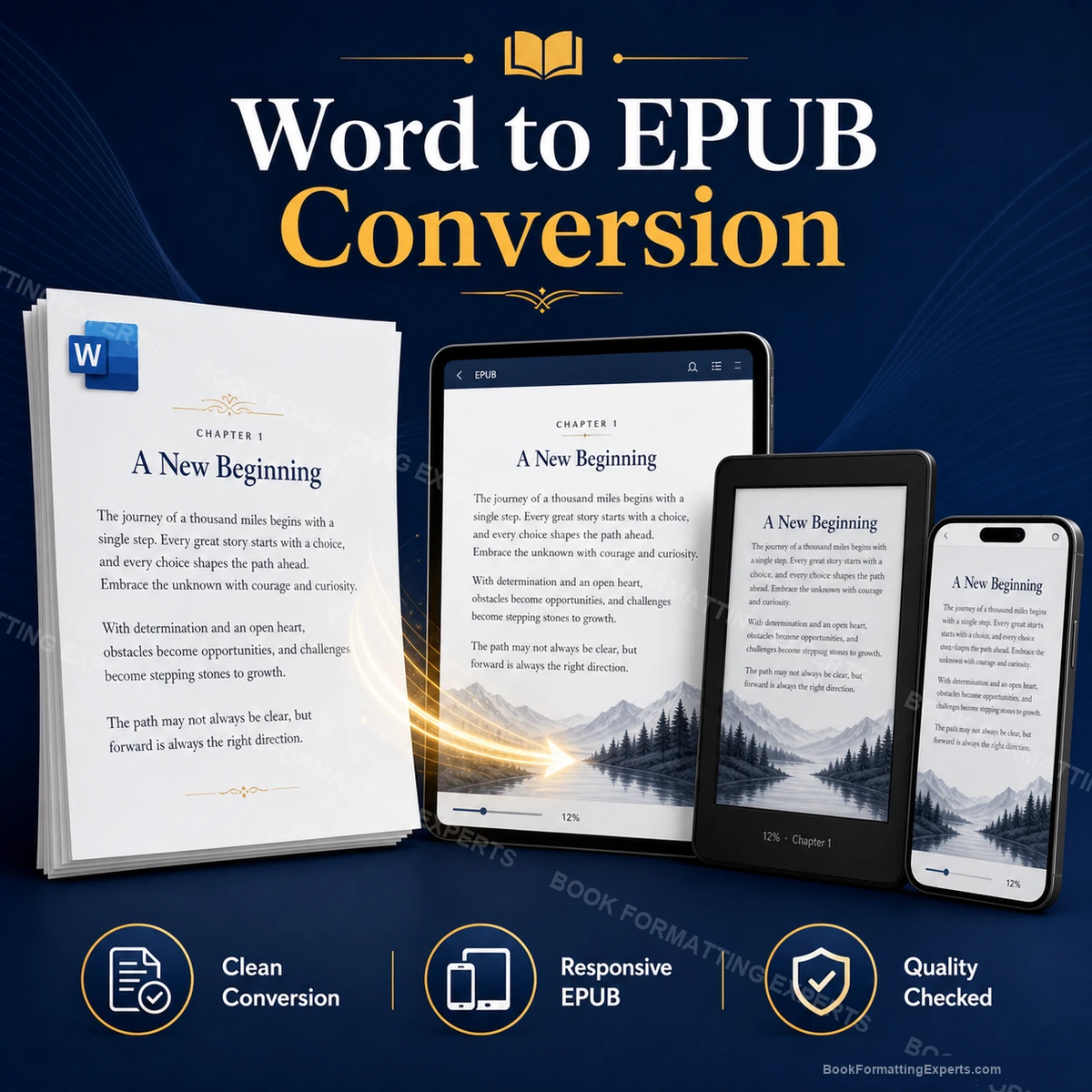
Word to EPUB Conversion sample showing word to epub conversion hero
196Word manuscripts converted
4.9Average client rating
48 hrTypical audit of your document
0Files delivered with an EPUBCheck error
Definition

What Word to EPUB Conversion Actually Has to Do

A Word document is a rendering of a printed page. It knows about margins, tab stops, section breaks and points of leading. An EPUB knows about none of that. It knows what each piece of text is: a chapter heading, a body paragraph, a block quote, a list item. Converting between the two means translating appearance into meaning, and only a person can decide what a bold centred line was supposed to be.

This is why the conversion depends almost entirely on how the .docx was written. If your chapter titles carry a real Heading 1 style, a converter can find them. If they are 16-point bold typed by hand, there is nothing there to find, and the tool guesses. It usually guesses that they are ordinary paragraphs, and your contents list comes out empty.

Word to EPUB conversion, done properly, is therefore two jobs stacked on top of each other. First the document is repaired: styles rebuilt, direct formatting stripped, print-era artefacts pulled out. Then the EPUB is built from the repaired document. Skip the first job and the second one is a waste of money.

The built-in export

What Word's Own Save as EPUB Gets Wrong

Word can save a document as an EPUB, and it takes about four seconds. The file it produces opens. That is genuinely the entire achievement. Every visual property in your document is transcribed into inline styling, so a 90,000-word novel arrives with tens of thousands of individual rules and no stylesheet worth the name.

Free converters do a related kind of damage. They preserve everything the document says, including the parts that were mistakes. Faithfully reproducing your accidental double spaces and your fake indents is not conversion. It is copying the problem into a format where it is harder to fix.

1

Style names become nothing

Word exports your Heading 1 as a paragraph carrying a font size and a weight. The heading tag that navigation is built from is simply not written, so the device menu comes back blank.

2

Every paragraph gets its own class

The export cannot tell which of your formatting was deliberate, so it records all of it. The result is a stylesheet nobody can read and a file nobody can update without starting again.

3

Print furniture is carried across

Headers, footers, page numbers and section breaks are exported as content or as empty documents. An eBook has no page for them to sit on, so they become clutter the reader has to swipe past.

What Is Included

What a Word to EPUB Conversion Covers

One price, and the document repair is inside it rather than quoted separately once we have seen the file.

A structural read of your document

Before anything is converted we open the .docx and look at what is actually holding it together: which styles are real, which formatting was typed by hand, how many section breaks are hiding in it, and whether the chapters were written in one file or pasted in from nine. You get that finding in writing, and it is what the quote is based on.

Direct formatting stripped and styles rebuilt

Every hand-applied font size, weight and alignment is removed and replaced with a named style that means something. A chapter title becomes a heading rather than a line that happens to be large. This is the single step that decides whether your contents list works, and no converter performs it.

Print-era artefacts pulled out

Manual line breaks, tab indents, rows of empty paragraphs, hard page breaks, phantom section breaks and the double spaces left over from a typing class. All of them are instructions to a printer, and all of them turn into visible damage the moment text reflows on a phone.

Images recovered at their real resolution

Word compresses pictures when you paste them and again when you save. We pull the highest-quality version the document still holds, ask you for the originals where it has thrown too much away, and re-export everything for high-density screens with alt text attached.

Navigation built from the structure, not the field

Word's automatic contents page is a field full of dead page numbers. It cannot travel. We discard it and build a real EPUB 3 nav document, an NCX behind it and a linked contents page inside the book, all generated from the headings we rebuilt.

A hand-coded EPUB 3, validated before you see it

The stylesheet is written for your book from scratch, not poured out of an exporter. The file runs through EPUBCheck until it is silent, then through the Amazon ingestion check, then onto real hardware. You never receive a file that has not already been told yes.

Portfolio

Word Documents We Have Converted

Six recent .docx files, each one arriving in a different state of repair.

Recent Work
Decide what you get back

Just the eBook, or the Cleaned Word Master Too

The repair work happens either way, because the conversion cannot proceed without it. The only question is whether you want to keep the repaired document afterwards.

The EPUB, and Nothing Else

We clean your document internally, build the EPUB from it, and hand you the finished eBook. The tidied .docx stays on our side as working material and you never think about it again.

Right for authors who have finished with the book, have no print edition planned, and simply want a file that uploads and reads properly.

The EPUB Plus the Repaired Document

You also get the cleaned .docx back: real heading styles, no direct formatting, no phantom breaks, one consistent set of style definitions. It is the document your manuscript should have been all along.

Right if a paperback is coming, if a second edition is likely, or if you write in Word and want the next book to start from a file that is already correct.

What We Fix

What We Find Inside Almost Every .docx

Six problems that live in Word documents, cause no complaint in Word, and destroy an EPUB.

Phantom section breaksSection breaks left over from an old print layout survive the export as empty content documents. The reader swipes into a blank screen and assumes the download has failed.
Styles inherited from pasted chaptersA chapter drafted in a separate file brings its own style definitions across when you paste it. Two chapters end up subtly heavier than the rest, and nothing in Word looks wrong.
Manual line breaks inside paragraphsA shift-return holds a paragraph together on your monitor and shatters it on a phone, stranding half-lines in the middle of sentences at every change of type size.
Indentation typed by handFirst lines pushed in with tab characters or five taps of the space bar. Reflow puts them wherever it likes, so indents surface halfway through a sentence like a stammer.
Field codes and automatic numberingWord's list numbering, cross-references and contents field are calculated, not written. Converted, they become frozen text pointing at page numbers the eBook does not have.
Images embedded at print resolutionArtwork pasted in at 300 dpi for a printer, then compressed by Word on save. It is simultaneously too heavy for a download and too soft for a modern screen.
Specification

How Each Part of a Word Document Is Handled

Eight elements we meet in every .docx, what happens to each one, and what it costs you if nobody looks.

ElementHow we build itWhy it matters
Heading stylesReal Word heading levels are mapped straight to semantic headings. Faked headings are identified by eye and given a real style before conversion begins.Navigation, the contents page and screen-reader structure are all generated from headings. A book with no real headings has no navigation, and no error is ever raised.
Normal style and direct formattingEvery hand-applied override is stripped and the body text is reset to one styled class with relative sizing.Direct formatting exports as inline rules. Ten thousand of them make a file that no future formatter can edit and no reading system can override for a reader who needs larger type.
The automatic contents fieldDeleted outright, then rebuilt as an EPUB 3 nav document, an NCX fallback and a linked in-text contents page.Word's contents field is a list of page numbers. An eBook has no pages, so what survives conversion is a list of numbers pointing nowhere.
Page and section breaksHard page breaks are removed. Real chapter divisions become separate XHTML documents with a proper break rule attached.A break that is not a chapter division produces a blank screen. A chapter division that is only a break produces two chapters running into one another.
Footnotes and endnotesWord's note apparatus is rebuilt as linked EPUB notes that travel in both directions, with popup semantics where the reading system supports them.Converted naively, the marker becomes superscript text and the link disappears. The reader reaches the note and has no way back to the sentence they left.
Embedded imagesExtracted at the best quality the file still holds, re-exported for high-density screens, sized in percentages and given alt text.Word downsamples on paste and again on save. A picture that looked fine in print arrives on a retina tablet visibly soft, and there is no undoing it inside the document.
Word tablesRebuilt as real HTML tables with header cells, or restructured into a stacked list where the data is too wide for a phone.Word tables are sized in fixed inches. On a six-inch screen a five-column table either overflows off the edge or crushes into columns one character wide.
Text boxes and floating shapesContent is lifted out and re-placed in the flow as a styled aside. The floating container itself is discarded.Anything floating in Word is anchored to a page position. There is no page in an EPUB, so the box either lands in the wrong chapter or vanishes without comment.
Checked Before Delivery

What We Check the Converted EPUB Against

The .docx is the reference document. The EPUB is only finished when the two of them agree.

Read against the original document

The converted file is read beside your .docx, chapter by chapter. Someone is looking for paragraphs that have merged, emphasis that has quietly dropped, a heading that was demoted to body text, and any place where Word was doing something invisible that the conversion has now made visible.

The Amazon path, end to end

Most Word manuscripts are heading to Amazon first, so this is the path we test hardest. Previewer shows what Amazon's ingestion does to the file. A physical e-ink reader shows what that feels like at a slow refresh rate with the type size turned up.

A phone at the largest available type size

This is where every remaining Word artefact confesses. Stray tabs, manual breaks and fake indents are invisible on a laptop and unmistakable on a narrow screen at 24 points. If the book survives this, the small screens are all fine.

Apple Books and Kobo

Apple honours the stylesheet closely, which makes it the right place to confirm the typography we wrote is the typography being rendered. Kobo is more selective, so anything that drifts there gets a fallback rather than an argument.

EPUBCheck and store ingestion

The package is validated to zero errors, then run through the retailers' own ingestion checks. Files converted straight out of Word tend to fail here for reasons the error message never explains, which is precisely why we do it before you do.

Reader settings pushed to the extremes

Smallest type, largest type, night mode, sepia, publisher styling switched off. A converted book has to remain your book in every one of those states, not only in the one the exporter happened to preview.

Word .docxWord .docGoogle DocsRTFPages exportLibreOfficeKindle PreviewerApple BooksEPUBCheck
Deliverables

What You Receive at the End

The eBook, the files it was built from, and the document you should have been writing in all along.

The EPUB 3 file

A hand-coded, validated EPUB 3 that uploads to Amazon, Apple Books, Kobo, Barnes and Noble and Google Play without special handling for any of them. It carries a real stylesheet, real headings and working navigation, which is more than most files on those stores can claim.

The Kindle file, seen before you publish

Amazon takes EPUB directly now, but its ingestion pipeline rewrites your file into its own internal format on the way in. We build the derived Kindle file and check it, so you approve what an Amazon customer will actually see rather than what you hoped they would.

Your cleaned Word master

The repaired .docx: real heading styles, one set of consistent definitions, no direct formatting, no phantom breaks, no tab indents. Use it for the paperback, for the second edition, or simply as the file you keep writing in from now on.

Your images, pulled back out

Every picture pulled out of the document at the best resolution it still held, re-exported, compressed and named consistently. Word buries these inside the file and degrades them quietly, so having them back as real files is worth more than it sounds.

The source files, unzipped

The XHTML, the stylesheet and the package document, unzipped and commented. If you want to change an ornament at midnight or hand the book to someone else next year, everything is legible and nothing is locked away.

A short written summary

One page listing what we found in your document, what we changed, and anything we could not fix without a decision from you. It is also a list of habits worth breaking before you write the next book in Word.

Process

How the Conversion Runs

Five stages. You do something at the first and the fourth, and nothing in between.

01

Send the document

One .docx containing the whole book, front matter and back matter included. If your images exist as separate files somewhere, send those too, because the versions inside the document have already been compressed twice.

02

Document autopsy

We read the file structurally and report what is holding it together: real styles against faked ones, how many section breaks, how many manual line breaks, whether the chapters share a style set. This becomes the scope and the fixed price.

03

Repair the source

Direct formatting is stripped, styles are rebuilt and named, artefacts are removed, images are extracted. At the end of this stage the document is finally a document rather than a picture of a printed page.

04

Build and proof

The EPUB 3 is hand-coded from the repaired file. The stylesheet is written for your book. Navigation is generated and checked chapter by chapter, then the proof comes to you and you read it on your own device.

05

Revise, validate, deliver

Your two rounds of notes are worked through. EPUBCheck runs to zero errors, the hardware pass runs again, and you get the EPUB, the Kindle file, the cleaned document, the images and the source.

Pricing Calculator

Word to EPUB Conversion Pricing Calculator

Pricing follows the word count, because the length of the document is what has to be read, repaired and checked. The state of the file adjusts it from there.

Build Your Word to EPUB Conversion Quote

Required steps are marked with *. Optional extras can be removed from the summary with the cross icon.

Delivery
Total$0
1

Book Type *

Locked

What kind of book the document holds. This decides how much structure has to be rebuilt once the direct formatting is gone.

Novel or Narrative ProseIncludedOne long document of continuous prose with chapter breaks and scene breaks. The baseline conversion, and what most .docx files turn out to be.
Nonfiction, Business or Self-Help+$54Several heading levels, lists, boxed tips and pull quotes, almost all of which were made with direct formatting and have to be identified and retagged by hand.
Academic or Technical+$108Footnotes, endnotes, tables, figures, citations and cross-references. Word's note and reference machinery has to be dismantled and rebuilt as real links.
Illustrated or Fixed-Layout+$141Picture books and heavily designed titles where the image and the words belong together on a canvas. The size you pick is what sets the image count.
2

Book Size*

Locked

The word count Word shows you at the bottom of the window, front and back matter included.

Up to 10,000 words+$119The word count Word shows you at the bottom of the window, front and back matter included.
10,001 to 20,000 words+$159The word count Word shows you at the bottom of the window, front and back matter included.
20,001 to 35,000 words+$209The word count Word shows you at the bottom of the window, front and back matter included.
35,001 to 50,000 words+$269The word count Word shows you at the bottom of the window, front and back matter included.
50,001 to 70,000 words+$339The word count Word shows you at the bottom of the window, front and back matter included.
70,001 to 90,000 words+$419The word count Word shows you at the bottom of the window, front and back matter included.
90,001 to 120,000 words+$515The word count Word shows you at the bottom of the window, front and back matter included.
120,001 to 150,000 words+$619The word count Word shows you at the bottom of the window, front and back matter included.
More than 150,000 wordsCustom QuoteLong sagas, omnibus editions and academic doorstops are quoted individually. Send the document and we will give you a fixed price and a real date rather than a range.
3

Source Condition *

Locked

How the document was written. This is the largest single factor in a Word conversion quote, and it is honest to admit it.

Written with proper Word stylesIncludedRare and wonderful. Your headings are real headings, your body text uses one style, and the conversion starts from a document that already means what it shows.
Mostly styled, some hand formatting+$33The common case. Heading styles exist but were overridden here and there, and a few chapters were pasted in from somewhere else with their own definitions.
Formatted entirely by hand+$57No real styles anywhere. Everything was made with the bold button, the font size box and the tab key. Every element has to be identified and rebuilt before conversion can start.
A decade of drafting in one file+$111Multiple authors or multiple laptops, tracked changes resolved unevenly, three fonts, phantom sections and images pasted at random. This is a repair job with a conversion at the end of it.
4

Interior Complexity *

Locked

How much of the book is not plain prose. Notes, tables and boxed content each need rebuilding by hand.

Plain proseIncludedChapters, paragraphs, scene breaks, perhaps an epigraph. Very little to rebuild once the formatting has been stripped.
Structured content+$47Multiple heading levels, lists, quotes, sidebars and boxed exercises, each of which arrives as an anonymous paragraph and has to be named again.
Notes, tables and references+$116Footnotes, endnotes, tables, figures and the cross-references between them. Word builds all of this with its own machinery, and none of that machinery survives the trip.
5

Interior Images *

Locked

How many pictures sit inside the document. The cover is handled separately and does not count here.

No interior imagesIncludedText only. The cover is dealt with separately and does not count against this step.
1 to 15 images+$27A handful of photographs, diagrams or ornaments, extracted, re-exported for high-density screens and given alt text.
16 to 40 images+$68A properly illustrated interior. At this point Word's compression starts to matter, and we will usually ask you for the original picture files.
41 to 90 images+$124Heavy illustration. Every image is checked against the original rather than sampled, because a document this large is where Word quietly ruins one and says nothing.
More than 90 imagesCustom QuotePhotographic books and picture-heavy titles need a look before a number. Tell us the count and whether you still have the source files, because that changes everything.
6

Delivery Speed *

Locked

Standard is the pace the repair work genuinely takes. The faster tiers buy queue position and evening hours, not shortcuts.

StandardIncludedThe normal queue. The document repair happens at the speed it actually needs, and nothing is skipped to make a date look better.
Priority+$72About a third comes off the standard window. You move up the queue and every check still runs exactly as it would have done.
Express+$138About half the standard window. Sensible when the preorder is already live and the date cannot be moved.
Rush+$225The fastest we will work while still repairing the document properly and testing on hardware. One round of revisions rather than the usual two.
7

Revision Rounds *

Locked

Two rounds are included and most authors use one. Add more if a proofreader is still working while we build.

2 Revisions IncludedIncludedTwo full rounds after you have read the proof on your own device. Anything that is our error is fixed outside these rounds and never counted against them.
2 Additional Rounds+$62Four rounds in total. Worth having if a proofreader is still sending you corrections while the conversion is under way.
5 Additional Rounds+$128Seven rounds in total. For co-authored books, and for anyone who knows perfectly well that they will change their mind about the chapter openers.
8

Optional Extras

Locked

Genuinely optional. Nothing on this list is needed to publish the book.

Cleaned Word master returned+$46The repaired .docx handed back to you: real styles, no direct formatting, no phantom breaks. The file to write your next book in and the file your paperback should be set from.
Tracked changes and comments cleared+$53Every tracked edit resolved as you instruct and every comment removed, with a list of anything ambiguous sent to you first rather than decided on your behalf.
In-text contents page+$64A styled, linked contents page inside the book itself, replacing the dead Word field, in addition to the navigation menu the device provides.
Drop caps and chapter ornaments+$76Chapter openers built properly, with drop capitals that degrade to a large initial letter rather than to a broken float on the readers who do not support them.
Straight quotes and dashes normalised+$83A dedicated pass over every quotation mark, apostrophe, dash and ellipsis in the document, fixing the mixture of styles that thirty years of Word autocorrect has left behind.
Back matter build+$94Also-by list, newsletter invitation, review request and author biography, styled and linked rather than pasted in as three plain paragraphs at the end.
Original images re-sourced+$107Where Word has compressed a picture past rescue, we work with your original files, re-export them properly, and place them back into the book at a resolution that survives a tablet.
Footnote and endnote rebuild+$133Word's note apparatus dismantled and reconstructed as bidirectional EPUB links, with popup semantics on the reading systems that support them and a clean fallback on those that do not.
Second book in the same series+$168A companion title converted alongside this one to an identical standard, so book two does not arrive looking like a different publisher made it.
Print interior from the same document+$213The repaired Word master typeset as a print-ready interior, so the paperback and the eBook come from one source and finally agree with each other.
Request Your Custom Quote
You selected a custom or advanced option, so this project is priced individually rather than through checkout. Send us the details and we will scope it properly.

This is a conversion, not an edit. We repair structure and formatting, never wording. If chapter three has a typo in your Word file, it will have the same typo in the EPUB, exactly where you left it. Editing, proofreading, cover design and uploading to your retailer accounts are separate jobs.

Compare

Save as EPUB Against a Rebuilt Conversion

Both take a .docx and give you back an EPUB. Only one of them produces a file you could hand to another formatter in five years.

What you are comparingWord Export and Free ConvertersBook Formatting Experts
Your headings Exported as paragraphs wearing a font size. No heading tag is written, so the device contents menu is empty and nothing says why. Identified, given real semantic heading levels, and used to generate navigation that is then checked chapter by chapter.
The stylesheet One class per paragraph, thousands of inline rules, nothing a human could ever open and edit. A short stylesheet written by hand for your book, in relative units, legible enough to change yourself.
Tabs and manual breaks Preserved exactly, because the tool cannot tell an accident from an intention. They resurface as stutters mid-sentence. Removed at the source, and replaced with real indent styling that reflows correctly at any type size.
Your images Passed through at whatever Word had already compressed them to, with no alt text and no density handling. Extracted at the best quality the file holds, re-exported for high-density screens, described, and re-sourced from your originals where necessary.
Section breaks Turned into empty screens. Readers swipe into nothing and assume the file is broken. Read for what they were meant to do, then either removed or converted into a real chapter division.
What you can do next Nothing. The output cannot be edited, so any change means running the whole thing again and hoping. Everything. You hold the EPUB, the cleaned .docx and the unpacked source, all of them readable.
Who This Is For

The Word Documents That Reach Us

Six kinds of manuscript, each with its own characteristic damage.

The novel written over four years

One enormous file, opened on three different computers, with chapters pasted in from older drafts. The style definitions are a fossil record. It converts beautifully once the geology has been sorted out, and the actual prose is never the problem.

The business or self-help manuscript

Full of boxed tips, numbered frameworks and pull quotes, every one of them made by selecting text and clicking buttons. Nothing carries a style name, so a converter sees a very long run of ordinary paragraphs and treats them as such.

The memoir with photographs

Family pictures pasted straight into the flow, usually scanned once at whatever the scanner defaulted to and then squashed by Word on save. Half the conversion work is quietly getting those photographs back to a state a retina screen will not embarrass.

The thesis becoming a book

Written in Word with its full referencing apparatus switched on: automatic numbering, cross-references, a generated bibliography and hundreds of footnotes. All of it is calculated rather than written, and none of it survives an export intact.

The cookbook typed into tables

Every recipe laid out in a Word table because that was the only way to line the ingredients up. Those tables are fixed in inches and will not fit a phone, so each recipe has to be rebuilt as a structure rather than a grid.

The children's book with artwork

A short document with large pictures, where the words and the illustration have to stay together. This is usually where we have the honest conversation about whether the book wants a reflowable file at all.

Standards

Why We Repair the Document First

There is a persistent hope that a good enough converter would make the cleanup unnecessary. It would not, and the reason is simple. The information a converter needs is not in the document. A line that is bold and centred could be a chapter title, a section heading, an epigraph or a shouted word, and no software can tell which.

So somebody has to look, decide, and mark it. Once that has been done, the conversion itself is nearly trivial. Almost everything people dislike about converted eBooks is a symptom of skipping the deciding and going straight to the converting.

Three Things We Insist On

1

The document is repaired, always

Even when you only want the EPUB and will never see the cleaned .docx, the repair still happens. It is not an upsell, it is the first half of the job.

2

Nothing is guessed silently

Where a bold centred line is genuinely ambiguous, we ask you rather than deciding for you. A conversion that quietly promotes a stray line to a chapter title has changed your book.

3

The output has to be editable

If the file we hand you cannot be opened and understood by a competent stranger, we have not converted your book. We have merely obfuscated it in a new format.

Quality Control

The Pre-Delivery Checks

Twelve checks, run against the converted file with your Word document open beside it.

Every chapter title in the .docx appears as a real heading in the EPUB
No inline font sizes or hand-applied formatting survive in the stylesheet
Tab characters and manual line breaks are gone from the body text
No section break has become an empty content document
Footnote markers link forward to the note and the note links back
Every image renders sharply on a high-density screen and carries alt text
Word tables either fit a narrow viewport or degrade to a readable stacked form
Text boxes and floating shapes have been reflowed into the text as styled asides
The contents list, the nav document and the NCX name identical chapters
Quotation marks, apostrophes, dashes and ellipses are consistent throughout
The packaged file passes EPUBCheck without a single error
The book has been read against the original document by a person, start to finish
Before We Start

When You Need Word to EPUB Conversion

Six situations. All of them start with a .docx and end with a file that does not behave.

You have finished writing and that is all

The manuscript is done, the editing is done, and the only artefact in existence is a Word file. You have never made an eBook and you would rather not learn how at eleven at night, two days before a launch you already announced.

Your own export came out wrong

You tried Save as EPUB, or you ran the file through a free converter, and the result has an empty contents list, blank screens between chapters and a strange font. Nothing you clicked was wrong. The tool simply cannot do what you asked it to.

Amazon rejected the upload

KDP has refused the file or has warned you about its formatting, and the message tells you almost nothing. Word exports fail ingestion in a small number of recognisable ways, and every one of them is fixable in a day.

You want to go wide from a Word file

You have been on Amazon and now you want Apple Books, Kobo, Nook and the libraries. That means a proper EPUB 3, and a file exported from Word will embarrass you in at least two of those places.

You are a press working in Word

Your authors deliver .docx files and every one of them is formatted differently. What you actually need is a house standard and a repeatable route from a messy document to a consistent eBook.

You are converting a whole backlist of documents

Nine books, nine Word files, written across a decade, none of them formatted the same way. Converted separately they will look like nine different publishers. Converted to one standard, they look like a list.

Our Promise

What We Promise on a Word Conversion

Three commitments, each one specific enough that you would know immediately if we broke it.

The contents list will work

Every chapter in your document appears in the navigation, in the right order, landing in the right place. If a chapter is missing from the menu of a file we built, that is our mistake and we fix it, whenever you find it.

It will be accepted by the stores

If Amazon, Apple, Kobo or any other retailer refuses the file on structural or validation grounds, we correct it and reissue at no charge. Getting the file accepted is the job we were paid for.

Your words are untouched

We change structure, never text. Not a comma moves without you asking. If you want to compare the EPUB against your Word file word for word, please do, and you will find them identical.

Strategy

How We Approach a Word File

Three habits that make the difference between a conversion and an export.

Read the document, not the preview

How a .docx looks tells you almost nothing about how it is built. We look underneath it, at the styles, the breaks and the overrides, because that is the only place the truth about the file is kept.

Repair before you convert

Every hour spent cleaning the document saves three spent fixing the EPUB, because a fault in the source becomes several faults in the output. Nobody who has done this twice converts first.

Fix the habit, not only the file

The written summary tells you which of your Word habits caused which problem. Authors who read it write their next manuscript in a way that costs them considerably less to convert.

The Short Version

The Conversion Framework

Three questions we ask of every Word document, in this order.

1

What is real and what is painted on

Which of your formatting carries a style name and which was applied by hand. This one distinction predicts more about the cost and the outcome of a Word conversion than anything else in the file.

2

What was meant for a printer

Page breaks, section breaks, tab stops, headers, footers and a contents field full of page numbers. All of it addressed to a machine that will never see this book, and all of it has to come out.

3

What has to be decided by a human

The ambiguous lines. Bold and centred, but a chapter title or an epigraph. We list them, you answer, and the conversion proceeds without anybody guessing on your behalf.

Client Reviews

What Authors Say After the Files Land

Rated 4.9 out of 5 across 196 reviewed projects.

★★★★★

I had already paid someone else to format this book once. The chapter headings shifted every time a reader changed the font size and I only found out from a review. This team rebuilt the interior from the structure up and sent me photographs from four real devices before I uploaded anything. First launch day I have not spent refreshing the reviews in a panic.

MW
Marianne WhitlockUnited Kingdom Verified
★★★★★

What sold me was the audit. They came back and told me two chapters had been pasted in from another document and were carrying invisible styles, and that fixing that first would save me money later. Nobody had mentioned it in three years of self-publishing. The proof needed no corrections at all.

DA
Devon AchebeUnited States Verified
★★★★★

My book has footnotes, tables and two appendices, and every quote I got either ignored that or doubled the price because of it. Here the pricing was laid out step by step and I could see what each element cost before I committed. It arrived early and the notes link both ways, which nobody else had even offered.

SL
Suvi LehtinenFinland Verified
★★★★★

The proof came back from the printer with the margins exactly where they should be, the running heads correct, and not one chapter opening on a left-hand page. This is my fourth book and the first time I have not had to pay for a second proof copy.

RO
Rachel OkonjoCanada Verified
★★★★★

English is my second language and I was nervous about the back and forth. Everything was explained plainly, and when I asked the same question twice they answered as if it were the first time. The revisions were turned round inside two days and I was never made to feel like a nuisance.

TI
Tomas IglesiasSpain Verified
★★★★★

I write cookbooks, so the interior is the product. Ingredients have to sit beside the method or the recipe stops working, and the last person I hired reflowed the whole thing into nonsense. These people understood the problem before I had finished describing it and the finished layout is genuinely beautiful.

PR
Priya RaghunathanIndia Verified
★★★★★

Straightforward from beginning to end. A fixed price, a delivery window they actually hit, and files that went up to KDP and IngramSpark without a single rejection. I have since sent them two more titles and recommended them to my writing group without hesitation.

GN
Gregory NkemeluNigeria Verified
★★★★★

My memoir has photographs and I had resigned myself to them looking muddy. They optimised every image, told me honestly which two were too low-resolution to save, and suggested crops instead of shrugging. That candour is worth more to me than the discount I was chasing elsewhere.

HS
Hannah SorensenDenmark Verified
★★★★★

I sent them a 480-page reference book with a nightmare of cross-references and a table on nearly every spread. They quoted it accurately, they did not come back later asking for more money, and the index still works. Any author will tell you what that is worth.

EB
Elliot BarrowAustralia Verified
FAQ

Word to EPUB Conversion Services — Your Questions, Answered Properly

The questions authors actually ask us, answered without sales language.

What is Word to EPUB conversion, and why can I not just use Save as EPUB?

Word to EPUB conversion turns a .docx manuscript into a structured, validated eBook that reading systems can render properly. Word's own Save as EPUB does produce a file, and it opens, but it transcribes appearance rather than meaning. Your chapter titles arrive as paragraphs with a font size rather than as headings, so the contents menu is empty. Every visual property becomes an inline rule, so a full-length novel ships with tens of thousands of them and no usable stylesheet. The file works on your laptop and disappoints on a Kindle.

My chapter titles are just bold and centred. Is that a problem?

It is the single most common problem we see, and it is quietly expensive. A converter has no way of knowing that a bold centred line is a chapter title rather than an epigraph or a shouted word. It sees a paragraph, so it produces a paragraph. Your book then has no headings, which means no navigation, no contents list and nothing for a screen reader to follow. We identify every one of them, apply a real heading style, and build the navigation from that.

Should I clean up my Word document before sending it to you?

No, and please do not try. Half the repairs we make are invisible in Word, so tidying by eye tends to move problems around rather than remove them. Worse, authors often introduce new direct formatting while trying to fix old direct formatting. Send the document exactly as it is, however embarrassing you think it is. We have opened worse this week. The cleanup is inside the price and it is done at the level of the file, not the level of the screen.

What is direct formatting, and why does it break an eBook?

Direct formatting is any styling you applied by selecting text and clicking a button: bold, italic, a font size, a centre alignment. Word records it against that specific run of text rather than against a named style. When the document is exported, every one of those decisions becomes its own inline rule. The result is a file with no structure and no stylesheet, which cannot be updated, cannot be restyled by a reader who needs larger type, and gives navigation nothing to hold on to.

What happens to my automatic table of contents field?

It is deleted, and something better is built in its place. Word's contents field is a live list of page numbers, calculated from where the text happens to fall in your current margins. An eBook has no pages at all, so the numbers refer to nothing. Converted naively, that field becomes frozen text listing chapter names beside meaningless digits. We rebuild it as an EPUB 3 nav document, an NCX for older devices, and a properly linked contents page inside the book.

Will my footnotes still work after conversion?

They will work considerably better than they do now, because they will link both ways. Word's notes are built by its own referencing machinery, and a naive conversion keeps the superscript number while quietly discarding the link behind it. The reader taps a marker and nothing happens, or they reach the note and cannot get back. We rebuild each one as a real bidirectional link, and on reading systems that support popup notes we tag them so the note appears without the reader losing their place.

Can you convert a Word document that still has tracked changes in it?

We can, but not until they are resolved, and we will not resolve them for you. Tracked changes are editorial decisions and they belong to you. If we accept them on your behalf we risk keeping a sentence you had decided to cut, and you would have no way of knowing. Accept or reject them, delete the comments, and send the clean version. If you are unsure whether the file is genuinely clean, send it anyway and the audit will tell you what is still lurking.

My images look fine in Word. Why do they look soft in the eBook?

Because Word has already compressed them, usually twice. It downsamples pictures when you paste them and again when the document is saved, and it does this without asking. On a printed page, and on the screen you are looking at Word on, the damage is invisible. On a high-density tablet it is not. We extract the best version the document still holds, and where that is not good enough we ask you for the original picture files and re-export them properly.

What are phantom section breaks, and how do I know if my file has them?

You almost certainly cannot tell, which is the problem. A section break is Word's way of changing page setup partway through a document, and manuscripts collect them across years of drafting. In a printed layout they do nothing visible. In an EPUB they frequently become empty content documents, so your reader swipes and lands on a completely blank screen. Turn on formatting marks in Word and you may spot some. We find all of them, and we remove the ones that were never meant to be chapter divisions.

Do you convert Google Docs, Pages or RTF files as well as .docx?

Yes, and they are handled the same way, because they suffer from the same thing. All of them are word processors that record appearance, so all of them are full of formatting that was applied by hand rather than named as a style. Google Docs in particular tends to produce documents where every paragraph carries its own definition. Export to .docx and send it, or send us the link. The audit and the repair stage do not change.

How is your conversion different from running my file through Calibre?

Calibre is a good tool and we use tools like it as a starting point. What it cannot do is decide anything. It will faithfully carry across your hand-typed indents, your empty paragraphs, your phantom section breaks and your bold lines that were meant to be chapters. Faithfulness to a broken document is not a virtue. The difference is not the software, it is the several hours a person spends repairing the source first and then checking the output against it afterwards.

Can you keep my chapter opener design from the Word file?

The intent, yes. The exact geometry, no, and nothing else could either. A chapter opener in Word sits at a fixed distance down a page of a known size. In an EPUB there is no page and no known size, because the reader has chosen both. What we can carry across is the typeface, the proportion, the ornament, the drop capital and the general feeling of the opener, all expressed relative to the body text so it holds together at every size the reader might choose.

My Word file has recipes and data in tables. Will they survive?

The information will. The grid usually should not. Word tables are sized in inches for a printed page, so a five-column table dropped onto a six-inch e-reader either runs off the edge of the screen or crushes into columns one character wide. Where the data is genuinely tabular we rebuild it as a real HTML table with header cells and test it at the narrowest viewport we own. Where it is not, and recipes rarely are, we restructure it into a stacked, styled form that a phone can actually read.

How long does a Word to EPUB conversion take?

The delivery window is shown against your word count in the calculator, and the state of the document moves it. A tidy, properly styled 60,000-word novel is a straightforward job. The same length written entirely with the bold button and containing forty pasted chapters is a repair project with a conversion at the end. The audit is what tells us which of those you have, and we send you a fixed price and a real date before you commit to anything.

Do I get my Word document back after the conversion?

If you want it, yes, and we would encourage it. The cleaned .docx has real heading styles, one consistent set of definitions, no direct formatting and none of the print artefacts we removed. It is the file your paperback should be set from, the file your second edition should start from, and honestly the file you should be writing in from now on. It is a small extra because the repair has already been done in the course of the conversion.

Will the converted eBook work on Kindle, or do I need a separate Kindle file?

Amazon accepts EPUB directly at upload, so the EPUB 3 we build is the file you send them. What happens next is that Amazon converts it into its own internal format during ingestion, and that conversion has opinions about fonts, margins and spacing. We build the derived Kindle file and check it in Previewer, so you can see what Amazon has decided before your readers do, and we adjust the stylesheet where its decisions were unhelpful.

What if my book was written in several Word files, one per chapter?

That is fine and it is quite common. Send all of them, named in reading order, and we will assemble them. It is worth saying that separate chapter files are usually why a manuscript ends up with three competing sets of style definitions, because each file was formatted on a different day in a different mood. The assembly stage is where that gets reconciled, and the result is one document with one coherent structure underneath it.

Can you match the eBook to a paperback I have already published?

As closely as the two formats allow, and we will be straightforward about where they cannot meet. The typeface, the chapter opener treatment, the ornaments and the general character can all carry across. Running heads, folio numbers and any spacing measured against a physical page cannot, because there is no physical page. Send us the print interior along with the Word file and we will match everything that can meaningfully be matched, and tell you plainly what cannot.

Is a converted Word file good enough for Apple Books and Kobo, or only Amazon?

A file properly converted from Word is good enough for all of them, which is the entire point of building a real EPUB 3 rather than accepting an export. A file exported by Word itself is a different matter. Apple renders CSS faithfully, which means it renders the export's ten thousand inline rules faithfully too, and the result is visibly worse there than on Amazon. Going wide is precisely when the shortcuts in a Word export stop being survivable.

Why is Word to EPUB cheaper than converting from a PDF?

Because a Word document, however badly formatted, still contains text that knows it is text. Paragraphs are paragraphs, even when they are wearing the wrong clothes. A PDF contains positioned glyphs and no paragraphs at all, so the reading order, the line breaks and the hyphenation have to be reconstructed from scratch before any conversion can even begin. Word is the cheapest and most common entry point into a proper eBook, and if you still have the .docx you should use it.
Next Step

Send Us the Document

One .docx, however old and however messy. We will read what is actually inside it, tell you what is holding it together and what will break, and come back with a fixed price and a date. The audit costs you nothing.

$00 items selected
No options selected yet.
Get a Quote